
Download Pydroid 3 – Portable Python Coding App, IDE for Python 3, Educational Tool, Free Software, Mobile Development
Overview
Pydroid 3 - IDE for Python 3 is a portable Python coding application designed as an integrated development environment for Python 3. Developed by IIEC, it serves as an educational tool for individuals interested in learning Python programming directly from their Android devices. The software enables users to write, execute, and manage small-scale Python projects on mobile platforms, making it ideal for learners and hobbyists who seek flexibility in their coding journey.
It functions as a minimalist Python 3 interpreter, offering a streamlined interface for running basic scripts and experimenting with code in real time. The app is particularly useful for students, beginners, and developers who want to practice coding during commutes or in informal settings. It supports on-device project saving and includes built-in tools for installing packages without requiring command-line input.
While it replicates core PC-based Python functionality on Android, its capabilities are limited when handling complex or large-scale development tasks. The developer did not provide additional details about the organization’s background or broader product ecosystem. Real-world usage scenarios include learning programming fundamentals, testing short code snippets, and sharing code via external platforms like Pastebin.
For users seeking a lightweight, mobile-first approach to Python, Pydroid 3 offers a functional starting point.
Key Features & Capabilities
- Python 3 Interpreter – The app includes a built-in Python 3 interpreter, enabling users to run Python scripts directly on their Android devices without external dependencies.
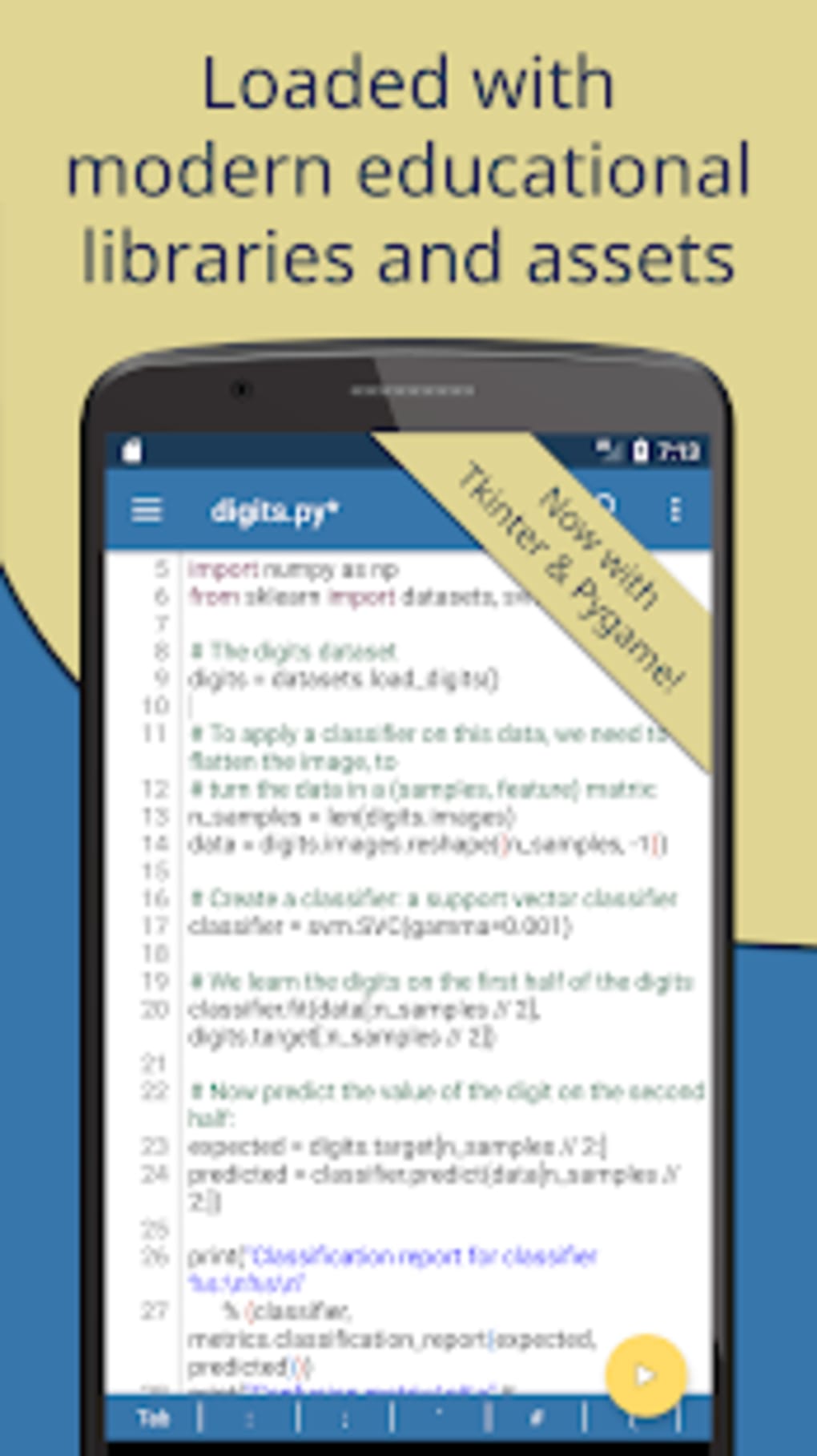
- Integrated Development Environment (IDE) – Offers a clean, user-friendly interface with syntax highlighting, code completion, and a dedicated code editor for writing and editing Python scripts.
- Package Management – Supports installation of Python packages via a graphical interface, including a Quick Install feature for commonly used default packages.
- Python Shell Integration – Features an in-built Python shell where users can input commands and execute them instantly, with output displayed in real time.
- Project Management – Allows saving projects in custom folders on the device, supporting basic file organization for small coding tasks.
- Code Sharing – Enables users to publish source code directly to Pastebin for easy sharing and collaboration.
- Mobile-First Design – Optimized for touch-based interaction, making it accessible for on-the-go learning and development.
These features make Pydroid 3 suitable for educational purposes, such as practicing syntax, testing algorithms, and exploring basic programming concepts. The app is especially beneficial for users without access to a desktop or laptop. However, it does not support advanced IDE functionalities like debugging tools, version control integration, or multi-file project management. Users are advised to rely on third-party tools for extended functionality.
User Interface, Workflow & Performance
The user interface of Pydroid 3 is designed with simplicity and usability in mind, featuring a clean layout that prioritizes code editing and execution. Navigation is intuitive, with clearly labeled buttons for running scripts, accessing the Python shell, and managing files. The workflow is streamlined for quick coding: users can write code, click a play button, and view output immediately.
This responsive behavior supports a fast feedback loop, which is essential for learning and experimentation. The app maintains a lightweight structure, which contributes to smooth operation on modern Android devices. However, the developer did not specify resource usage details, so exact CPU or RAM consumption remains unknown.
Performance observations are based on general software behavior patterns. Stability appears consistent during typical use cases, but users may encounter issues when attempting to run complex scripts or access the Python environment outside the app’s interface. In such cases, a third-party command-line tool like Termux is recommended.
The app does not support background execution or multi-window mode, which may affect workflow efficiency for advanced users.
Compatibility & System Requirements
Pydroid 3 is designed to run on Android operating systems. The exact version requirements were not specified by the developer. Installation size is not publicly listed, though the app is described as lightweight.
The developer did not provide detailed hardware requirements, such as minimum RAM or processor specifications. Compatibility information is limited to the Android platform. Users should ensure their device runs a recent version of Android to support the app’s functionality.
For optimal performance, devices with at least 2GB of RAM and a modern processor are recommended, though this is based on general Android application behavior rather than official documentation. The app does not support iOS or desktop operating systems. It is distributed exclusively through the Google Play Store, which may affect availability in certain regions.
Pros and Cons
Pros
- Free to download and use, making it accessible for learners and students.
- Offers a functional Python 3 environment on Android devices.
- Includes built-in package management with Quick Install for common libraries.
- Supports code execution via a user-friendly interface and Python shell.
- Enables project saving and code sharing via Pastebin.
- Lightweight and optimized for mobile use.
Cons
- Not suitable for managing large or complex Python projects.
- Requires additional plugins (e.g., Pydroid Repository, Pydroid Permission) to unlock full functionality.
- Limited to Android platform; no support for iOS or desktop OS.
- Cannot run Python shell outside the app without third-party tools like Termux.
- Lacks advanced IDE features such as debugging, version control, and multi-file project management.
FAQ Section
Is Pydroid 3 compatible with iOS devices?
Pydroid 3 is designed exclusively for Android operating systems and is not available for iOS devices.
Is the app free to use?
Yes, Pydroid 3 is free to download and use. It does not require a paid subscription or in-app purchases.
Do I need to install additional tools to use Pydroid 3?
While the app functions independently, it is recommended to install additional plugins such as Pydroid Repository and Pydroid Permission to enhance usability and access full functionality.
Can I run large Python projects in Pydroid 3?
It is not advisable to manage large or complex Python projects within the app due to limitations in project handling and system resources.
Does Pydroid 3 support offline coding?
Yes, the app allows offline coding and script execution, as all required components are installed locally on the device.
Final Thoughts
Pydroid 3 delivers a solid foundation for learning Python programming on mobile devices. Its minimalist design, built-in interpreter, and package management tools make it a practical choice for beginners and students. While it lacks the depth of desktop IDEs, it excels in portability and ease of access.
The app is best suited for small-scale coding tasks, practice sessions, and on-the-go learning. Users who require advanced development features or plan to work on large projects should consider complementary tools. For those seeking a free, mobile-first Python environment, Pydroid 3 offers a compelling solution.
Download Pydroid 3 now.





.png)

